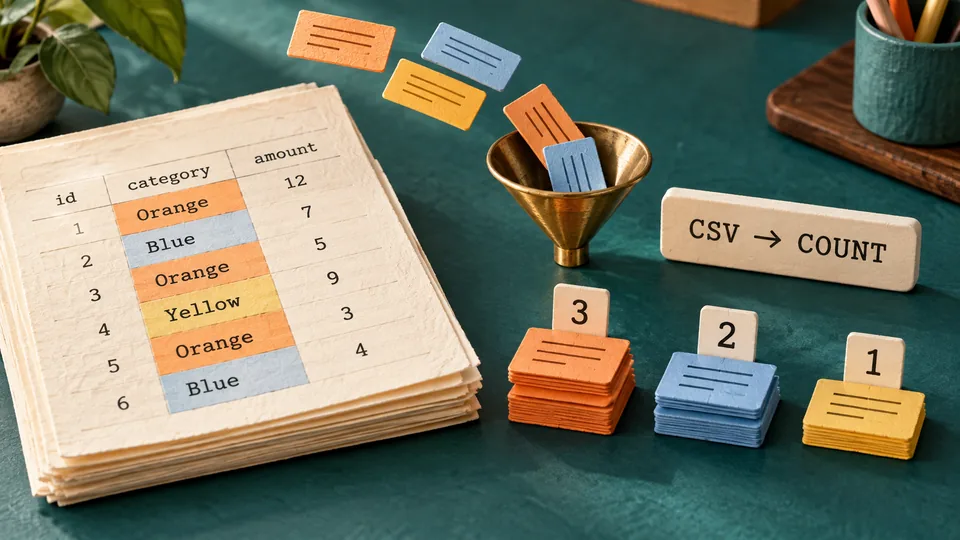
A support export can contain thousands of tickets, but a first question is often simple: how many records belong to each category? This Python CSV frequency report reads one selected column, counts its values and prints a deterministic summary. It handles quoted commas through the CSV parser rather than splitting lines on commas.
The example uses fictional support tickets and needs no database, web server or external package. Download the complete Python project ZIP for the source, sample CSV, expected output, eighteen tests and README. It reads the input without modifying it.
Prerequisites and input rules
Use Python 3.10 or later. The recorded run used Python 3.12.14 on Windows; other versions and operating systems were not separately executed. In your terminal, check the interpreter before running the example:
python --versionIf your system names it python3 or py -3, substitute that command throughout. Extract the ZIP and open a terminal inside python-csv-counts. The input must be UTF-8, optionally with a byte-order mark, and use comma-separated records with a header. Header names must be unique and nonblank. The selected header is exact and case-sensitive, so category and Category are different names.
Every nonempty record must contain the same number of fields as the header. A physically empty record is ignored. The selected value is trimmed at both ends; a blank result is an error. Values remain case-sensitive, so Support and support form separate groups. These rules keep cleanup decisions visible instead of quietly merging data you may want to distinguish.
Create sample.csv
id,category,note
1,Support,"login, password reset"
2,Sales,new enquiry
3,Support,follow up
4,"Billing, refunds",invoice correction
5,Sales,renewal
6,Support,resolved
Both the note containing a comma and the Billing, refunds category are quoted CSV fields. A plain split on a comma would mistake either embedded comma for a new column. The input has six records: three Support, two Sales and one Billing, refunds.
Save the complete program as csv_counts.py
"""Read UTF-8 comma-separated records and count values in one column."""
import argparse
from collections import Counter
import csv
from pathlib import Path
import sys


def count_values(path: Path, column: str) -> Counter:
    counts = Counter()
    with path.open(encoding="utf-8-sig", newline="") as stream:
        reader = csv.reader(stream, strict=True)
        try:
            headers = next(reader)
        except StopIteration:
            raise ValueError("CSV is empty; a header row is required.") from None
        if not headers or any(not name.strip() for name in headers):
            raise ValueError("Header names must not be blank.")
        if len(set(headers)) != len(headers):
            raise ValueError("Header names must be unique.")
        if column not in headers:
            raise ValueError(f"Column {column!r} was not found.")
        index = headers.index(column)
        for row in reader:
            if not row:  # Ignore physically empty records.
                continue
            if len(row) != len(headers):
                raise ValueError(f"Record ending at line {reader.line_num}: wrong field count.")
            value = row[index].strip()
            if not value:
                raise ValueError(f"Record ending at line {reader.line_num}: blank selected value.")
            counts[value] += 1
    return counts


def main(argv=None) -> int:
    parser = argparse.ArgumentParser(description=__doc__)
    parser.add_argument("path", type=Path)
    parser.add_argument("column", help="Exact, case-sensitive header name")
    args = parser.parse_args(argv)
    try:
        counts = count_values(args.path, args.column)
    except (OSError, UnicodeError, csv.Error, ValueError) as error:
        print(f"Error: {error}", file=sys.stderr)
        return 2
    # CSV output quotes embedded commas, quotes and newlines correctly.
    writer = csv.writer(sys.stdout, lineterminator="\n")
    writer.writerow(["value", "count"])
    for value, count in sorted(counts.items(), key=lambda pair: (-pair[1], pair[0])):
        writer.writerow([value, count])
    return 0


if __name__ == "__main__":
    raise SystemExit(main())
The Python CSV reference recommends opening file objects with newline set to an empty string. This leaves record newline handling to the parser, including quoted multiline fields. The utf-8-sig encoding accepts an optional UTF-8 BOM without making it part of the first header. strict=True catches parser-recognized bad CSV syntax; field-count and header checks are separate application rules. It is not a universal validator for every CSV dialect.
The Counter reference describes a dictionary subclass for counting hashable values. Here each cleaned category is a key and its record count is the value. The final sort uses descending count, then Python string order for ties. That explicit tie rule makes repeated runs reproducible without depending on encounter order.
Run the report and compare the output
python csv_counts.py sample.csv categorySuccessful execution returns status 0 and prints:
value,count
Support,3
Sales,2
"Billing, refunds",1
The output is also CSV. csv.writer adds quotes around Billing, refunds, preserving it as one value. It also handles quotes or newlines within values. Counts describe records, not totals of another numeric field. A header-only file produces just value,count, which is a valid empty report.
This example prints to the terminal. If you later redirect output to a file, use a separate output path: redirecting over the input can make the shell truncate that input before Python starts. CSV output preserves text; it does not neutralize spreadsheet formulas in untrusted values. Review such data before opening it in a spreadsheet.
Try a useful failure case
python csv_counts.py sample.csv missingThis prints the following to standard error and returns status 2:
Error: Column 'missing' was not found.Missing files, unreadable input, invalid UTF-8 and malformed records also return status 2 with an error message. Missing CLI arguments are handled by argparse. A wrong-length record reports the physical line where that record ends; for a multiline field, this is not necessarily the record's starting line.
The program finishes reading and validating before writing the report. If a later record is bad, it emits no partial CSV summary. It does not skip rejected records and pretend that their counts were included. For production imports, decide whether rejecting the whole input or producing an explicit rejection report suits the workflow.
Run the eighteen supplied tests
python -m unittest -vThe tests use temporary directories and fictional input. All eighteen passed on the recorded Python 3.12.14 run. They cover trimmed and case-sensitive groups, quoted commas and quotes, multiline values, BOM and Unicode, blank physical records, header-only and empty files, missing/duplicate/blank headers, short and extra fields, blank selected values, unclosed quoting and invalid UTF-8. Process checks verify sorting and output quoting, unchanged input bytes, missing-file and argument failures, and no partial stdout after a late invalid record.
The delivered ZIP was extracted into a separate temporary directory and the same tests and sample output passed again. The unittest documentation explains fixtures and assertion-based tests; the included test file provides the full executable cases rather than a claimed test count without source.
Adapt the report deliberately
Pass another existing header to count a different field. Add case normalization only if the data contract calls for it, and add a test showing which values should merge. This version assumes commas and does not auto-detect semicolons or other export dialects. Memory grows with the number of distinct values, even though records are read one at a time. For millions of unique keys, consider a database aggregation or external sorting workflow instead.
If you want a database version of grouping later, first keep this fixture as a reference for expected counts and error behavior. For another small Python command-line exercise, the preview-first file renaming example focuses on a different problem: checking intended file changes before applying them.



Comments (0)
Join the discussion